Prep the file.
Run your show.
Export a Whatnot CSV, then upload it in Whatnot Seller Hub. Publishing and selling happen on Whatnot.
FOR THE COLLECTION YOU’RE BUILDING
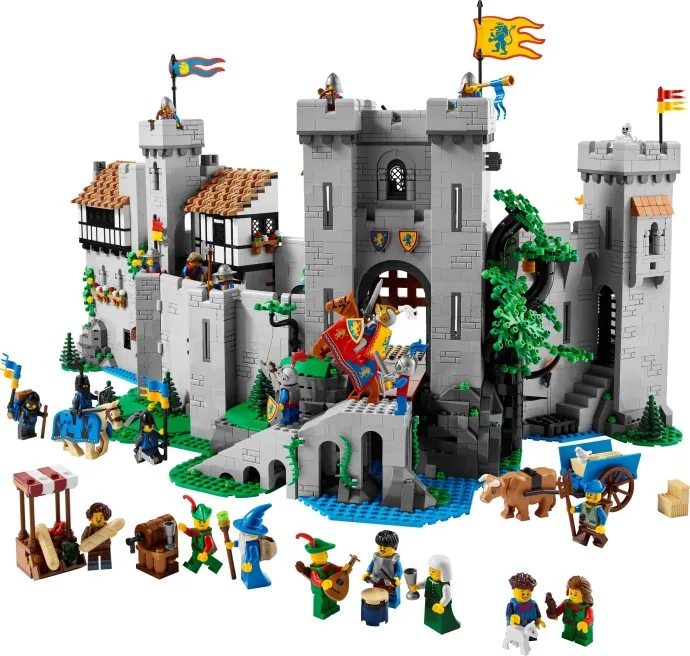
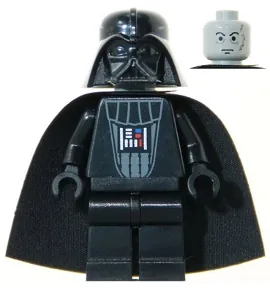
Identify minifigures and boxed sets from a photo. Review catalog matches, explore price estimates, and keep what you own in one place.
Start in your browser. No account needed to scan.
01 / FROM PHOTO TO RECORD
A box on the shelf. A minifigure in a mixed lot. Start with a photo, then make the final call.
Photograph a minifigure or boxed set. A clear view gives identification a better starting point.
Review the suggested catalog matches. Check the details and confirm the ID—especially when similar variants matter.
Create a free account to save your pick. Add condition, quantity, notes, and where you keep it.
02 / YOUR COLLECTION, TOGETHER
Remember what you own, where it lives, and what you paid. A private inventory turns scattered shelves and boxes into a collection you can actually keep track of.
Free includes up to 50 inventory items. No card.

Set 10281-1
03 / A BETTER STARTING POINT
A useful estimate starts with the right identity and condition.
Explore available price information and record the value that makes sense for your item. Catalog information, sold averages, and estimates are different signals—not a promise of what someone will pay.
How to use identification and estimates04 / WHEN A KEEPER BECOMES A LISTING
Keep your collection records useful when you decide to sell. Choose the workflow that fits your marketplace.
Export a Whatnot CSV, then upload it in Whatnot Seller Hub. Publishing and selling happen on Whatnot.
Connect your BrickLink store to push inventory or pull store records into BricksID. Review what you send before syncing.
Mark items for sale and record sales, including eBay sales. Keep quantities, sale status, and notes with the item.
A DIFFERENT WAY IN
Connect a compatible chat client to identify a photo or work with your saved collection. Use your existing BricksID account and review the permissions you grant.
Explore chat setupThe OpenAI plugin is in review. It is not publicly listed.
ROOM TO GROW
Scan for free. Add more room and tools when your collection needs them.
THE FIRST SHELF
$0
Get to know what you own.
THE GROWING COLLECTION
$4.99 /month
Make space for the next great find.
THE BUSY WORKBENCH
$19.99 /month
Bring your selling workflow together.
Prices in USD. Paid subscriptions are managed on the website through Stripe. Connected chat tools use your existing plan; chat scan limits apply. See chat features and limits.
BricksID runs in your browser. You can try a scan without an account. Create a free account when you want to save your collection.
No. Photo identification suggests catalog matches, and similar variants can be hard to distinguish. Confirm the catalog ID, condition, and quantity before relying on a result.
No. Estimates and available sold averages provide context. Condition, completeness, demand, and the marketplace can change the price you receive.
Inventory is private to your account unless you create a public collection link or invite someone to shared inventory. Read the privacy policy for details about photos and connected apps.
The Whatnot workflow creates a CSV file. You upload and publish it through Whatnot Seller Hub. Confirming an upload updates your records in BricksID.
Use the Stripe customer portal linked from BricksID to manage your subscription, including cancellation. For billing help, contact hello@bricksid.com .
THAT PILE IS A GOOD PLACE TO START.
bricksid.com
Price checks are free. Saving needs an account.
FIND YOUR NEXT ADDITION
Find a minifigure or boxed set by name or catalog code.
Search when you’re ready. Nothing is added until you confirm.
Upload a photo of one figure, or review a group with Bulk scanning.
Opening camera…
Tap the shutter, or tap a match, to capture.
Your photos stay on this device until you choose to identify them.
One item. Up to two photos, 8 MB each.
Main photo
Second angle · optional
Upload photos replaces this pair. Use Replace photo to change just one.
One item per photo. Choose up to 10 photos, 8 MB each. Review the queue, then scan. Nothing is added to your collection until you review and save it.
0 of 10 photos
Loading your collection…
Estimated collection value · USD
Today’s quantities at recorded prices. Missing days stay empty.
Total value = current estimate × copies. Automatic change uses recorded cost when available, otherwise the first comparable price saved since adding the item. N/A means a comparable price or baseline is missing.
CSV headers: name, item_type, bricklink_id. Optional: set_number, quantity, condition_grade, estimated_value, cost_basis, acquisition_cost, location. Amounts are USD. Multi-copy row costs and values need per-copy or lot reconciliation. Up to 100 rows and 2MB per file. Partial imports report the rows saved; review before retrying.
Manual values take priority. Dated market quotes expire after six hours. Unknown or stale values are excluded; partial totals retain their coverage. Lot values and costs require reconciliation.
The latest actual observation for each holding or copy within a UTC day is used. Values are multiplied by the quantities held today. Missing days are not filled. Hollow points cover only the stated part of your collection.
These optional snapshots record the collection and quantities owned at that time, including additions and sales. They remain separate from recorded item-price history above.
Actual recorded addition, scan and sale dates. Earlier removals and events without dates are unavailable.
Lot-ledger gross P/L uses actual merchandise proceeds minus allocated acquisition cost. Net adds buyer shipping received and subtracts recorded fees, seller shipping and seller-borne tax; it stays unknown until those components are recorded. Legacy single-copy records show supported gross P/L only. Unreconciled eBay and historical partial sales remain incomplete.
Organize a Public draft or keep items Private in your Collection profile. Nothing is published until you preview and publish. Making an item Private immediately removes it from this profile. These controls do not change older collection share links; manage those separately in Manage & sell below.
Public fields: item name, type and condition only. Costs, P/L, valuation totals, storage, contact details and photos stay out. Public item edits appear on your profile.
Only the items above will be published. Your banner says “BricksID public collection”; it makes no authenticity, identity or seller-verification claim.
Be careful if available for sale on multiple platforms, especially if inventory is low.
Saved to your private Collection.
Legacy sales only. Gross P/L is sale price minus cost basis for supported records. Lot-ledger sales and net P/L are in Collection accounting below.
Removed in the last 30 days. Undo puts the item back in your collection.
Locked tools stay on screen. Tap one to see the plan that unlocks it.
Your LEGO collection, one exact catalog variant at a time.
Loading collection value…
Your holdings.
Private to your account. Only you can see what you have saved.
Free needs no card. Compare capacity and tools below. Manage or cancel your subscription in the billing portal.
Compare connected-app features and limits · Prices in USD.
Choose a task. Your Collection stays in the navigation above.
Title and message are required. Type of support is optional. Sign-in is required so the reply can go to the email on your account.
BrickLink connect and sync are Pro features.
Listed and in-collection items that have a catalog id and a price are created or price-updated on your store. Nothing is deleted unless you check the box below.
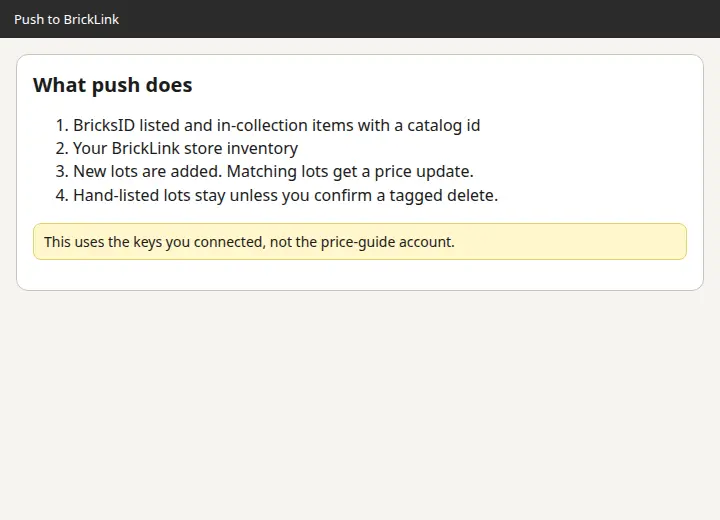
Minifig and set lots on your store are copied here. Quantity, condition, price, and remarks come with them. Sold rows in BricksID are not revived, and items that exist only here are not deleted.
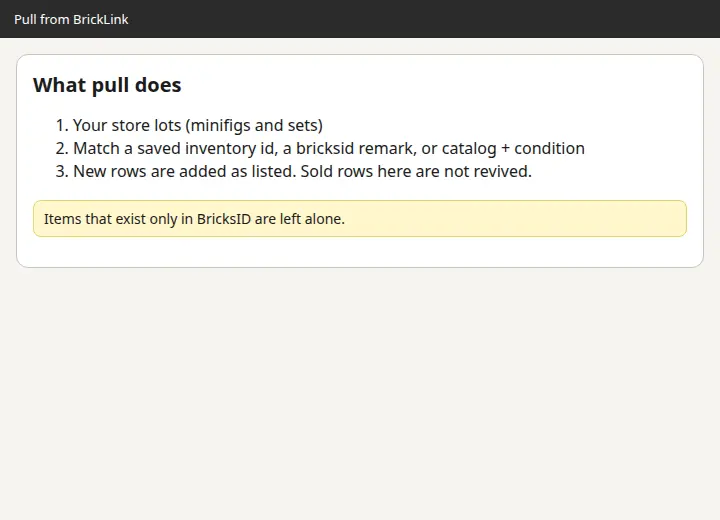
Pull runs first so lots already on your store land in BricksID. Push then updates prices and adds anything you scanned that the store does not have yet.
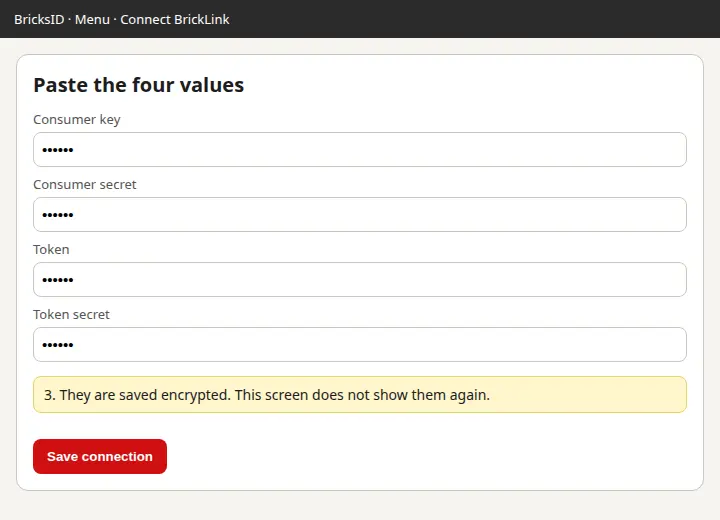
BrickLink has no Sign in with BrickLink for other apps. You create an API consumer in your own store and paste four values. They are stored encrypted and are not shown again.
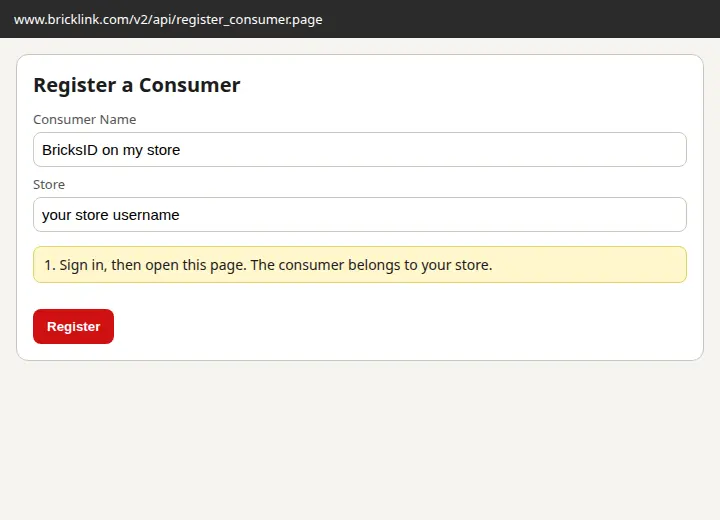
Sign in on BrickLink, then open Register an API consumer. The manual is bricklink.com/v3/api.page.
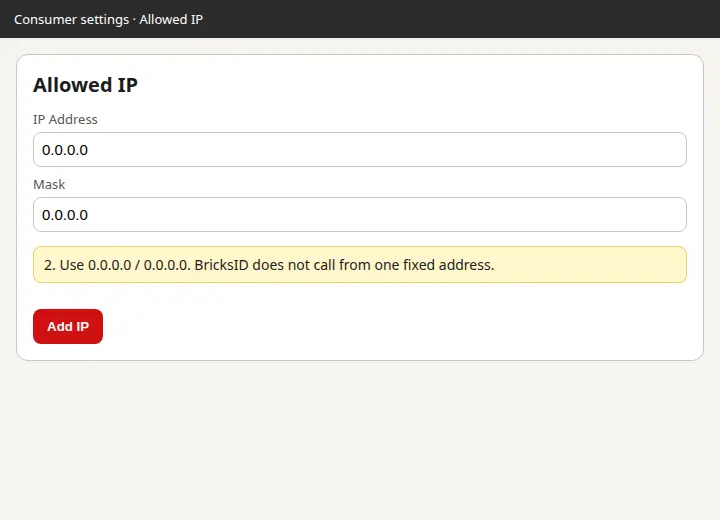
Set Allowed IP to 0.0.0.0 and the mask to 0.0.0.0. This app does not call BrickLink from one fixed address.
Copy the consumer key, consumer secret, token, and token secret into the form. Store username is only a label.
If you would rather upload a file, this mass-upload XML leaves out sold items and anything without a catalog id and asking price. Lots you upload yourself are not deleted.
Whatnot is not accepting seller API apps, so nothing is pushed live. You download a CSV and import it on a computer. Whatnot’s CSV guide
Type the exact name from your template’s Values tab if it differs. Category is Toys & Hobbies. Subcategory is LEGO Minifigures, LEGO Sets, or Other LEGO.
After the file is in Seller Hub, open Previous exports below and choose Confirm uploaded? That marks each exported item’s For Sale Platform as Whatnot.
Download the CSV. Unsold items with a price are included. Shipping uses your typed profile name, or 1-3 oz for minifigs and 1-2 lbs for sets.
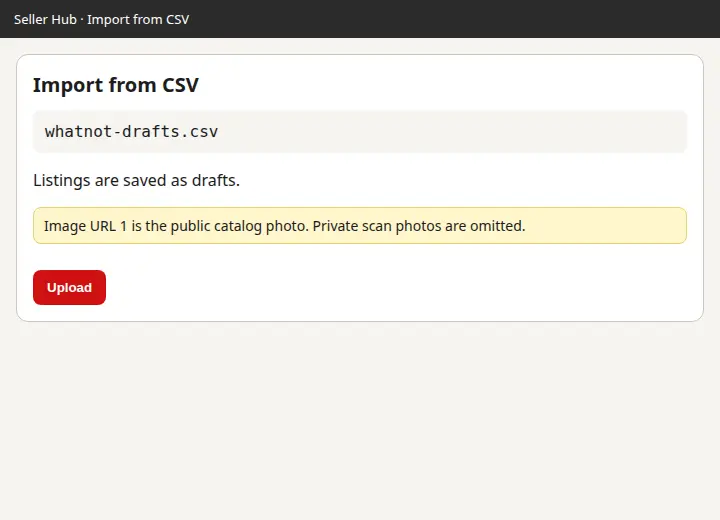
On a computer, open Whatnot → Seller Hub → Inventory → Import from CSV. Products land as drafts.
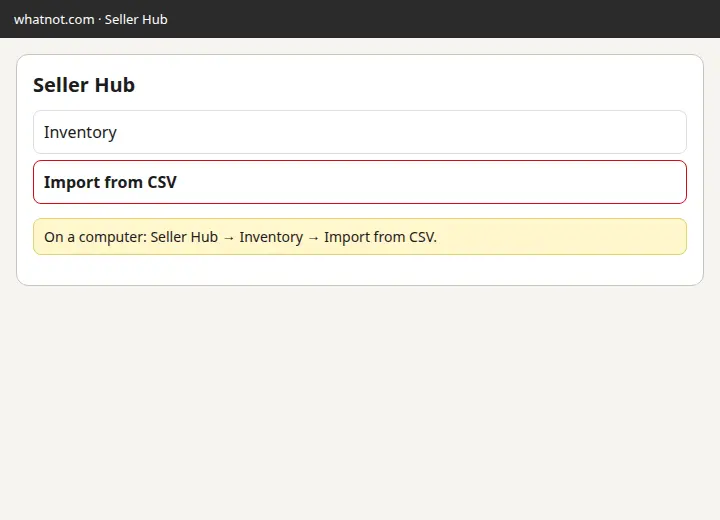
Image URL 1 is the public BrickLink catalog photo. Private scan photos are left out because Whatnot cannot open them.
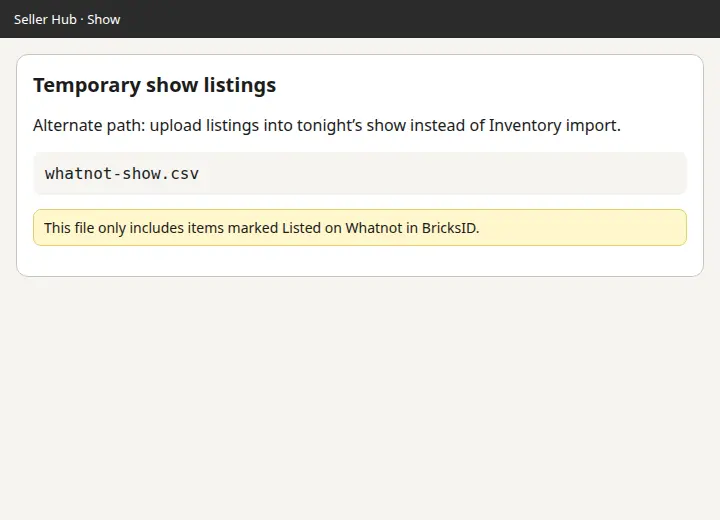
This file includes unsold items whose For Sale Platform includes Whatnot, and items marked Listed with platform Whatnot. In Seller Hub you can also upload temporary listings straight into a show. That path is separate from Inventory import.
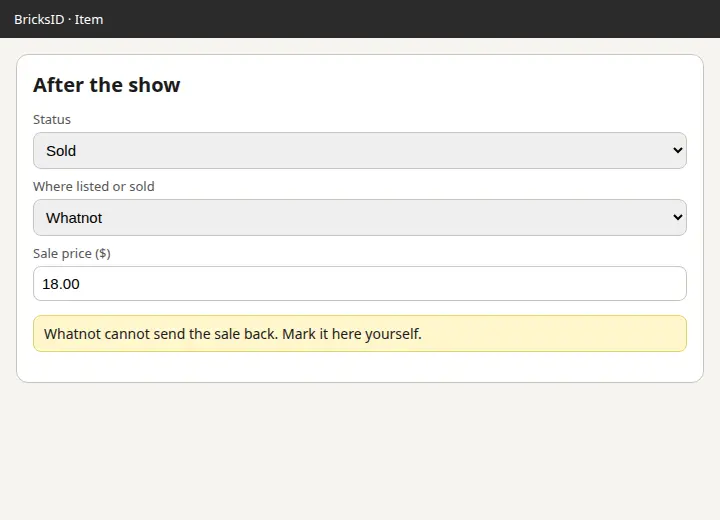
Whatnot does not offer a pull API, so sales do not come back automatically. Open each item in BricksID, set status to Sold, platform to Whatnot, and enter the sale price.
eBay connect is a Pro feature. Free and Collector stay locked.
Tokens for this account are encrypted on the Worker. BricksID does not use one shared eBay login for every store. Listings go to the eBay sandbox unless live listings are explicitly enabled.
Be careful if available for sale on multiple platforms, especially if inventory is low.
Places to get LEGO. Pins are official store pages or OpenStreetMap. Nothing on this map is a guessed address.
Your browser asks before sharing location. We round it to about 1 km. A home address is never saved unless you submit a trade interest, and even then only that rounded point.
Map data © OpenStreetMap contributors, tiles © CARTO
Uses the same retail lookup as inventory: US MSRP and Available or Retired. It does not say a store has the set.
Matching is phase 2. Express interest if you want buy, sell, or trade near you. Other people see a distance, not your coordinates, and only when the interest is public.
Each copy keeps its own photo, condition, and price. Tap one to edit it.
Scan a minifigure or a boxed set with your phone. Each saved fig and set shows an Estimated Value, starting from the BrickLink sold average. You can switch that number to last sold, the cheapest listing, or the quantity average. For Sale Price and Cost Basis stay your own numbers. Seller totals stay on Pro.
Guests can scan without an account. Saving, the collection, and export stay on the account that signed in. Nothing you save is public.
BricksID is an independent tool. It is not affiliated with, sponsored by, or endorsed by the LEGO Group. LEGO® is a trademark of the LEGO Group.
Scan without an account. Sign in when you want to save a minifig or set to your inventory.